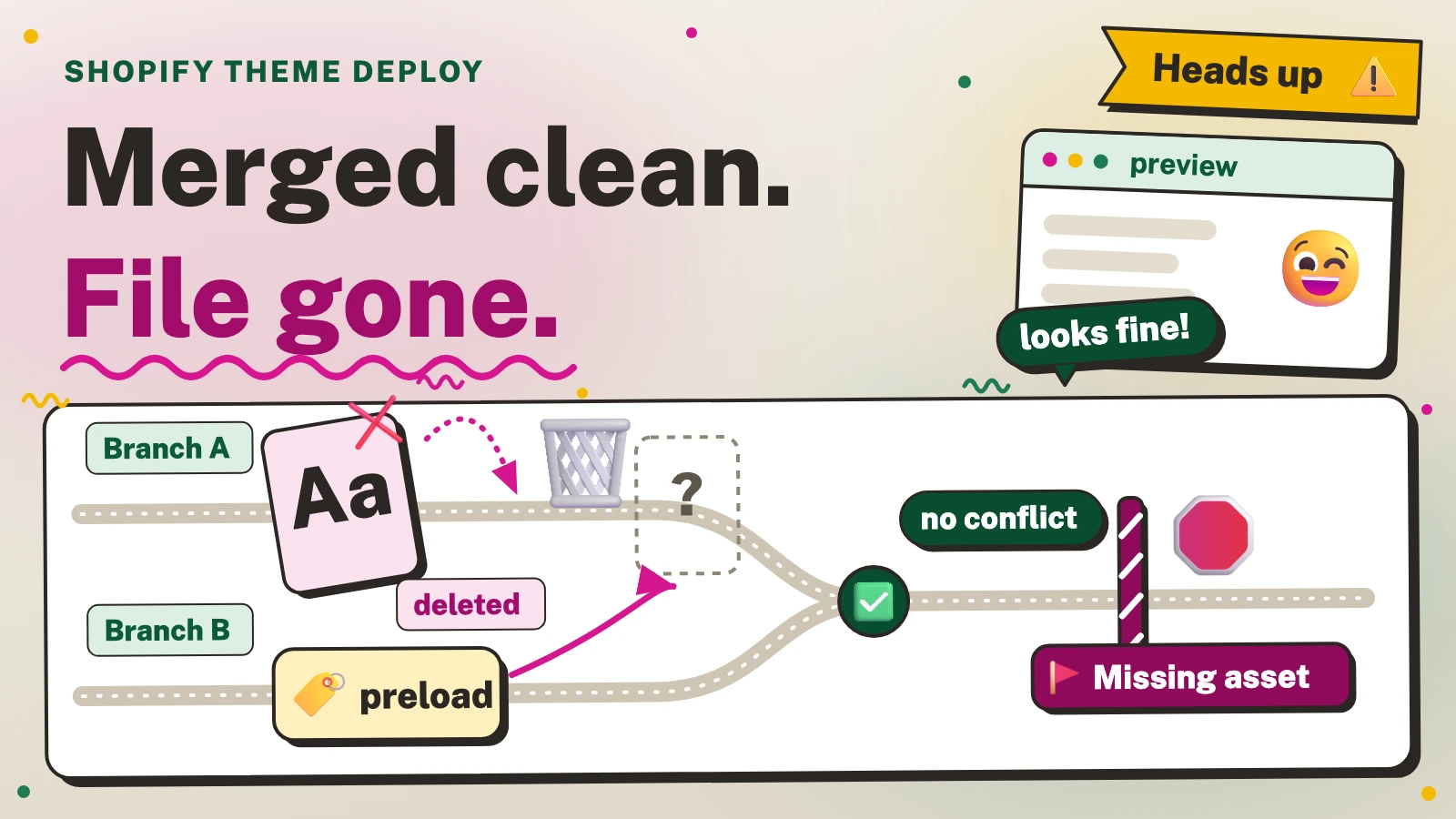
In short: A merge can delete a theme asset on one branch and keep a preload for it on another, with no conflict. Run Theme Check’s MissingAsset check alone on the merged theme before deploying: it catches asset_url references to missing files when the file name is written out literally.
How do you stop a deploy that points at a deleted theme asset?
- Run Theme Check with one check only, on the merged theme. The
MissingAssetcheck reports anasset_urlwhose file is not in the theme'sassetsfolder, as long as the file name is written out literally andasset_urlis the first filter, and its default severity is error[1][2]. A config file passed with--configcan enable that check alone[3]. - Confirm that exactly one check is enabled.
shopify theme check --listwith that config should listMissingAssetand nothing else[3]. - Fail the pipeline on exit code 1. The
--fail-level erroroption sets the minimum severity that makes the command exit with an error[3]. - If the theme already has missing assets, compare the branch with the main branch and fail only on new ones.
- Before you push to a theme that other people edit, look at the assets on the remote theme as well (see "What does the check not catch?").
The next two blocks do steps 1 to 4. They need Bash, Shopify CLI, jq and git. They read theme files and write one small config file and a temporary copy of the main branch.
These commands change no theme file, but test any change to a theme on an unpublished copy or a development store first, never on the live theme, and take a backup of the theme before editing it. You use this information at your own risk, and iLogr accepts no responsibility for any loss or damage.
mkdir -p .github
cat > .github/missing-asset-only.yml <<'EOF'
extends: nothing
MissingAsset:
  enabled: true
  severity: error
EOF

shopify theme check --list --config ./.github/missing-asset-only.yml
shopify theme check --path . --config ./.github/missing-asset-only.yml --fail-level error
Run it from the theme folder (the repository root, if the theme is connected to GitHub). The config sits in .github, which is not part of the theme structure, and Shopify's GitHub integration ignores folders that do not match it[4]. If you deploy with the CLI instead, keep the config outside the theme folder. The --config option overrides a .theme-check.yml in the theme[3], so a theme setting that switches the check off cannot hide a miss. The built-in nothing config that extends: nothing selects is in Theme Check's source[5], but the configuration page does not describe it[6], so keep the --list line and read its output once.
For a theme that already has misses, list the misses on the main branch and on your branch, and keep only the new ones:
(
set -euo pipefail
export LC_ALL=C
cfg=$PWD/.github/missing-asset-only.yml
w=$(mktemp -d)
trap 'rm -rf "$w"' EXIT
mkdir "$w/base"
git archive origin/main | tar -x -C "$w/base"
misses() {
  local root; root="$(cd "$1" && pwd -P)/"
  (cd "$1" && shopify theme check --path . --config "$cfg" --output json > "$2.json" || [ $? -eq 1 ])
  jq -e 'type == "array"' "$2.json" > /dev/null
  jq -r --arg root "$root" '.[] | .path as $p | .offenses[] | "\($p | ltrimstr($root)) \(.message)"' "$2.json" | sort > "$2"
}
misses "$w/base" "$w/old"
misses . "$w/current"
comm -13 "$w/old" "$w/current" > "$w/new"
if [ -s "$w/new" ]; then
  printf 'New missing assets:\n'
  cat "$w/new"
  exit 1
fi
)
Run it in Bash from a theme at the repository root, after git fetch origin main. The explicit --path . makes each run inspect its own folder even if SHOPIFY_FLAG_PATH is set in the environment. The subshell keeps exit 1 and the strict settings away from your own shell. It stops with an error if the checkout, the Theme Check run or the JSON report fails, because a check that cannot run must not count as a pass. Only exit status 1 from Theme Check, which means it found errors, is accepted. It then exits 1 when the branch adds a new miss and 0 when it adds none. In a script or a CI step, make that exit status a required check. In a test, it printed exactly one new miss, the dead preload on a merged theme, and exited with an error when Theme Check crashed, printed nothing or printed something other than a JSON list, or when the branch name for the baseline did not exist. The plain gate passed once the preload was removed.
Why does a clean merge still leave a reference to a deleted asset?
Git merges lines, not references. One branch removes a file from assets. The other adds a line, in a different file, that names it. Neither change touches the other's lines, so git reports no conflict. A different sync problem, where Shopify rejects a file and the old code stays live, is covered in Shopify GitHub Theme Sync Rejected a File and Left the Old Code Live.
Field note (test, Shopify CLI 4.9.4). In a test on a small theme, one branch deleted a font file and the other added a font preload to the layout. Each branch alone passed Theme Check. Git merged them without a conflict, left the preload in the layout and no file in assets, and the gate then failed with 'assets/. A gate that runs on each branch passes both. Run it on the merge result: the merge commit, the pull request's merge ref, or the branch after the merge.

In the test, and in the real theme below, the preload sat between a theme-check-disable AssetPreload and a theme-check-enable AssetPreload comment. That pair silences the check about preloads, not this one, and MissingAsset still fired.
Why can the preview still look fine?
Three things can hide the miss.
- The page can render without the file. In a headless Chrome 155 test, a page with a preload for a font file that did not exist had a heading of the same dimensions as the same page with the file present. The browser logged one failed request (404) and a warning that the preload was not used. An unused font preload can fail without changing the visible page; if the page does use the missing asset, its appearance or function may change. For a theme asset, the URL comes from
asset_url, which Shopify documents as returning the CDN address of a file in the theme's assets[7]; the page does not say what it returns for a file that does not exist. On a Shopify demo storefront, a request for a theme asset that did not exist returned 404 withcache-control:.public, max-age=60 - The preview theme can still hold the file.
shopify theme pushremoves remote files that no longer exist locally unless you pass--nodelete[8], and the CLI source shows the deletion running after the uploads finish and skipping remote files that match--ignore[9].shopify theme devdoes the same for files deleted locally[10]. If the preview theme already holds the file, a push with--nodelete, or no push since the deletion, leaves it there. That preview then loads an asset that a fresh upload from the repository would not contain. Shopify's GitHub integration page does not say how deleted files are handled[4], so check the theme's file list after a sync rather than assume it matches the branch. - Nobody opens the network panel. The failed request is quiet, and the page looks the same.
In the real case below, the history does not record how the theme was pushed or previewed, so we cannot say which of these applied.
What happened on a real theme?
Field note. A Shopify theme kept in Git, reconstructed from its history. One branch replaced a self-hosted font with a font from Shopify's own library and deleted the old font files. A performance branch, started earlier, had added a preload for one of those files to the layout. The two touched different files, so merging them gave no conflict. After the merge the theme had no font files and the preload was still there. A follow-up commit a few hours later pointed the preload at the font chosen in the theme settings. The history does not show whether the merged state reached a live theme.
We ran Theme Check (Shopify CLI 4.9.4) on three copies of that history: the side with the deletion, the merge, and the follow-up. Each copy reported hundreds of errors and warnings, so a gate that fails on any error failed all three, and shopify theme push --strict, which requires Theme Check to pass without errors[8], would have blocked every push of this theme.
MissingAsset alone told the story. It reported two errors on the deletion side, three at the merge and two after the follow-up. The extra one at the merge was the font preload. The other two were references to image files that have no file in the repository at any point in its history, so they were there before the merge and after the fix. Compared with the main branch, the merge added one new miss and the follow-up none.
What does the check not catch?
- Names built at run time. The check inspects only an
asset_urlthat is the first filter on a literal string[2]. In a test,'brand' | append:passed.'. woff2' | asset_ url - References outside Liquid. In a test,
url(inside a plain'font. woff2') .cssfile passed, whileasset_urlinside a.css.liquidfile, a snippet or a section was caught. The check also treatsbase.cssas present whenbase.css.liquidexists[2]. - A disable comment. A
theme-check-disable MissingAssetcomment hides the miss in a test. Inline disable comments work for any check[6], although Shopify's page for this one says disabling it is not recommended[1]. The gate trusts whoever reviews the code, so search for that comment in review. - The remote theme. Theme Check reads the folder you give it. It cannot tell you that an asset exists only on a remote theme, or that a push is about to delete one. Before pushing to a theme that others also edit, pull its assets into an empty folder, never into your working theme, because
shopify theme pulldeletes local files that do not exist remotely unless you pass--nodelete[11]. Use--themefor the remote theme,--pathfor the empty folder and--only "assets/, then compare the two file lists. We could not run this step without a store login, so it comes from the documentation.*"
Which tool should run the check?
Shopify CLI and Theme Check are free to use, and a CI provider's own pricing applies if you run them there. Run the commands above on a local merge of the two branches, or as a step in whatever CI you already use, on the merge result. Shopify's theme-check-action for GitHub Actions has a flags input for passing CLI options[12]; we did not test it with this config. --strict on a push suits a theme with no errors, not one with hundreds. The GitHub integration alone does nothing about references, so the check has to run before the merge.
References
Numbers in square brackets in the text link to these sources.
- Shopify.dev, Theme Check "MissingAsset" (opens in a new tab).Used for: what the check reports, its default error severity and the advice not to disable it.
- Shopify/theme-tools on GitHub,
missing-asset/index.ts(opens in a new tab).Used for: only literal names with asset_url first are checked, with a liquid fallback. - Shopify.dev, Shopify CLI "theme check" (opens in a new tab).Used for: the config, fail-level, list and output options.
- Shopify.dev, "Shopify GitHub integration for themes" (opens in a new tab).Used for: folders outside the theme structure being ignored, and deleted files not being described.
- Shopify/theme-tools on GitHub,
theme-check-node/configs(opens in a new tab).Used for: the built-in configs, including one with no checks enabled. - Shopify.dev, "Theme Check configuration" (opens in a new tab).Used for: per-check settings, inline disable comments and the theme's own config file.
- Shopify.dev, Liquid filter "asset_url" (opens in a new tab).Used for: what the filter returns, with nothing said about missing files.
- Shopify.dev, Shopify CLI "theme push" (opens in a new tab).Used for: the nodelete and strict options and what each does.
- Shopify/cli on GitHub,
theme-uploader.ts(opens in a new tab).Used for: remote-only files being deleted after uploads unless nodelete is set. - Shopify.dev, Shopify CLI "theme dev" (opens in a new tab).Used for: files deleted locally being deleted remotely unless nodelete is set.
- Shopify.dev, Shopify CLI "theme pull" (opens in a new tab).Used for: the only, theme and path options, and pull deleting local files.
- Shopify/
theme- .Used for: the action's flags input for passing options to Theme Check.check- action on GitHub (opens in a new tab)